
Added
Fetch Files Directly from SFTP
3 months ago by Sol Chen
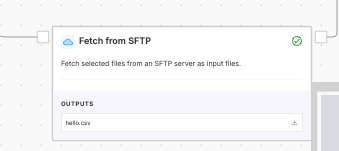
A new Fetch from SFTP node lets you pull files directly from an SFTP server into your workflow, eliminating manual uploads or external scripts. Select an existing SFTP connection, specify the file paths you want, and the node downloads them automatically on each run.
A built-in verify button lets you test connectivity before saving, so credential or path issues surface at setup rather than at runtime. After a successful run, fetched files are moved to an _ingested/ folder on the server to prevent re-processing — and if a run fails partway through, the server is left untouched so the run is safely retryable.