
Improved
Guided error-fixing
about 4 years ago by ReadMe API
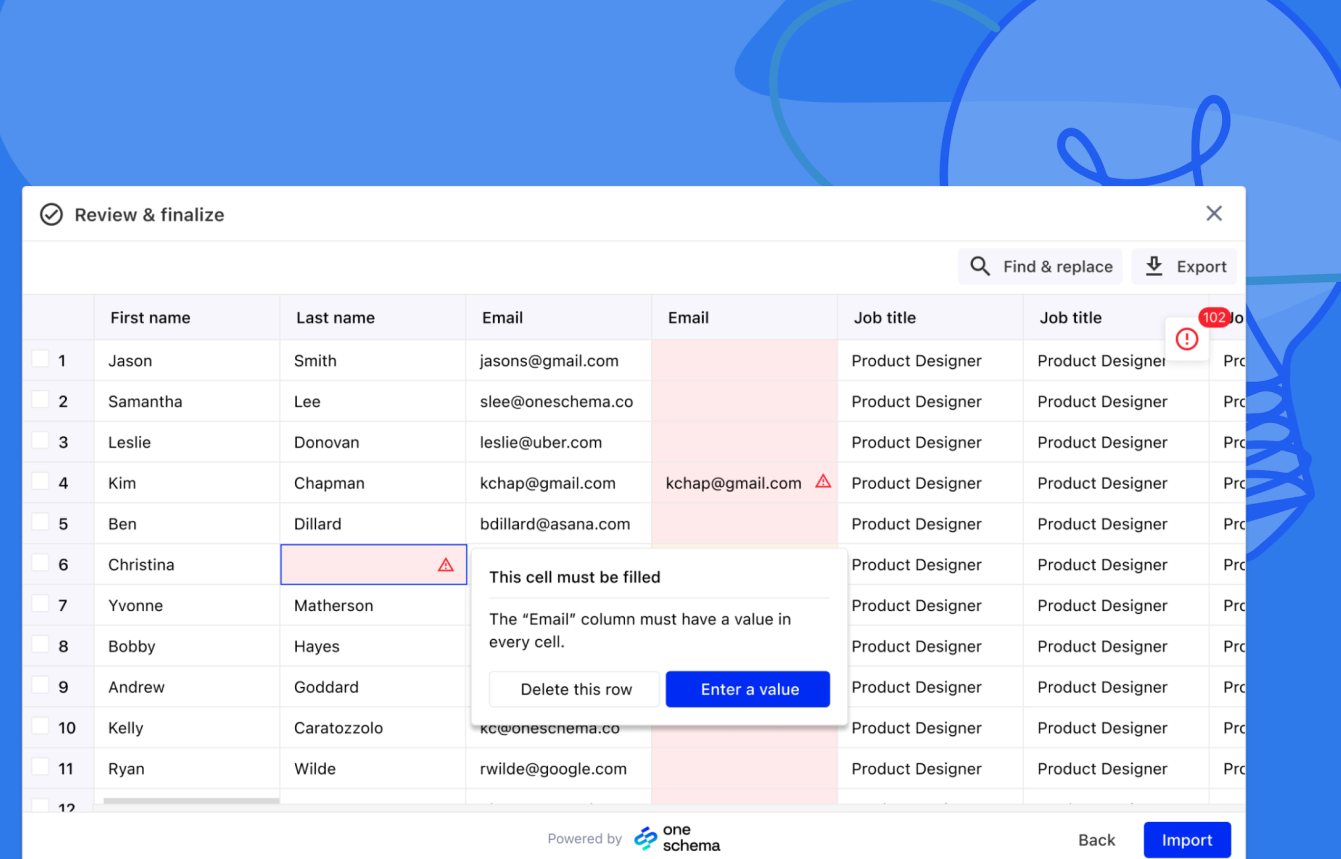
We’re very excited to announce our most requested feature: guided error fixing. In our beta tests, offering helpful suggestions for resolving errors has driven substantial uplift in import conversion rates. These upgrades include:
- Error Fix Suggestions: OneSchema will offer suggestions to your customer to fix errors, contextualized to the type of error your customer is encountering.
- Navigate to column with errors: When clicked in the issues summary, OneSchema will now pull the column with issues directly into view.
Bulk deleting rows: - Delete all rows with errors: OneSchema now contextually surfaces the option to delete all rows with errors, allowing customers to progress in their import workflow. Alternatively they can “Export to Excel” to get a summary of their errors.
- Delete selected rows: “Delete selected row(s)” button when selecting rows will be shown to users
We are also launching usability improvements based on customer feedback: - Issues Sidebar: Issues summary sidebar will no longer obstruct the last few columns in the sheet. Instead, it will appear inside of the spreadsheet view.
- Filter to find errors: We’ve added a “show error” button in the issues summary that when clicked, brings the error front-and-center. It’s never been easier to find errors in your file.