
Excel to CSV Conversions
Overview
CSV is the native data format used in OneSchema products, and every Excel file uploaded to OneSchema is converted into a CSV. Excel performs many calculations in the user interface, which can make certain values appear different when they’re converted to a CSV in OneSchema.
Below is a table showing how various value types are represented in Excel versus in OneSchema. OneSchema preserves the displayed value from Excel, not the underlying raw value. The only exception is when a value is visually truncated because of a narrow column, in which case OneSchema will use the value as it would appear if the column were fully expanded, rather than the truncated version.
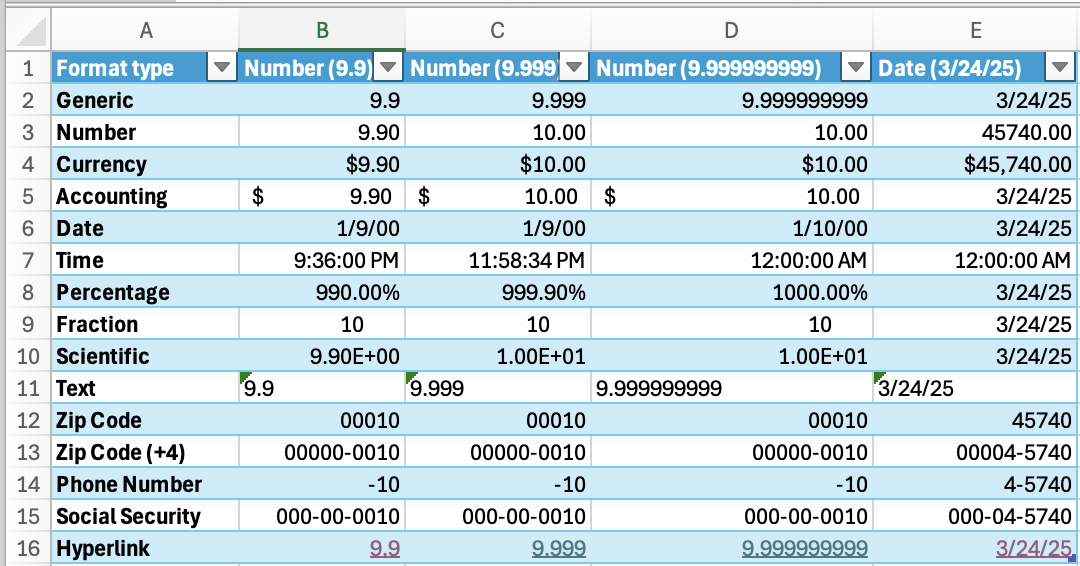
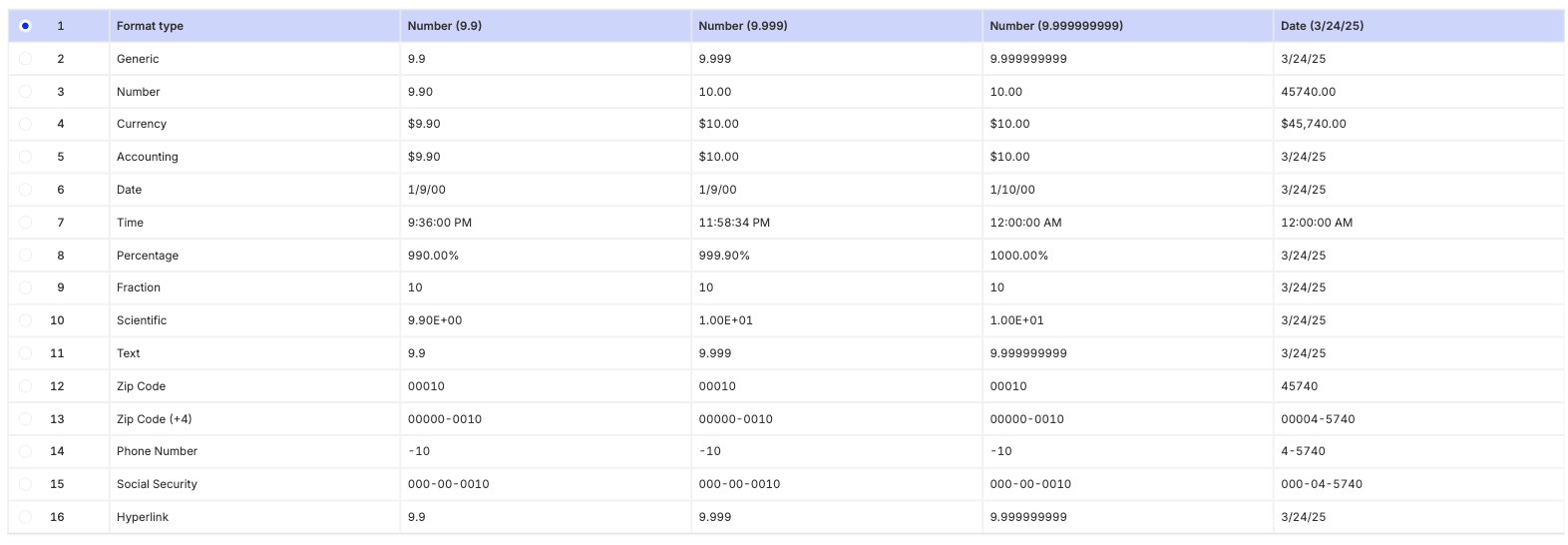
Demonstration of how various Excel format types appear in OneSchema
Advanced Excel Parsing
OneSchema offers various overrides for these defaults using the Advanced Excel Parsing transform, which lets you apply custom parsing rules for specific file types. This transform allows you to
Ignore Excel’s scientific notation auto-formatting – pull the underlying numeric value instead of the auto-formatted scientific notation.
Extract hyperlinks from cells – capture both the hyperlink and its display text.
Ignore Excel's date auto-formatting – extract all date values in a consistent YYYY-MM-DD format, regardless of how they appear in Excel.
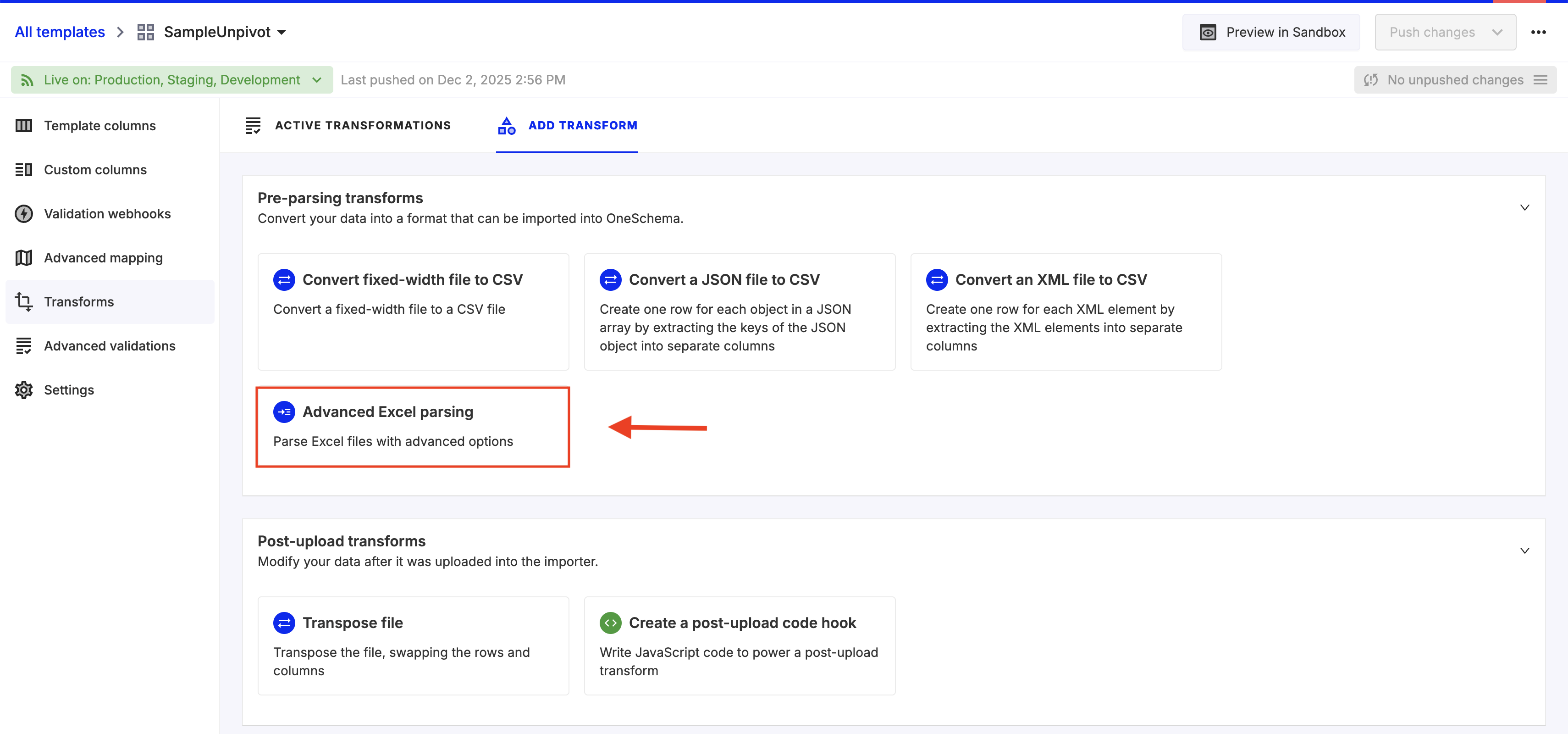
Advanced Excel parsing can be found in the Transform tab of a template
Ambiguous Date Formatting
OneSchema parses only the date string when converting from Excel to CSV, so any Excel-specific date metadata (such as formatting, absolute date values, etc.) is not preserved.
When determining whether a date is in M/D/Y or D/M/Y format, OneSchema uses the following logic:
- Count unambiguous dates for each format (e.g., dates where the day and month cannot be confused). The format with the higher count is assumed.
- If #1 is a tie, check if an input_date_order is specified in the Per-Customer Template Overrides. If so, that setting takes precedence.
- If neither of the above applies, OneSchema uses the date format defined in the template.
Updated 5 months ago