
Using OneSchema AI
Documentation for OneSchema’s AI product suite. All AI features can be disabled instance-wide.
AI Product Features in FileFeeds
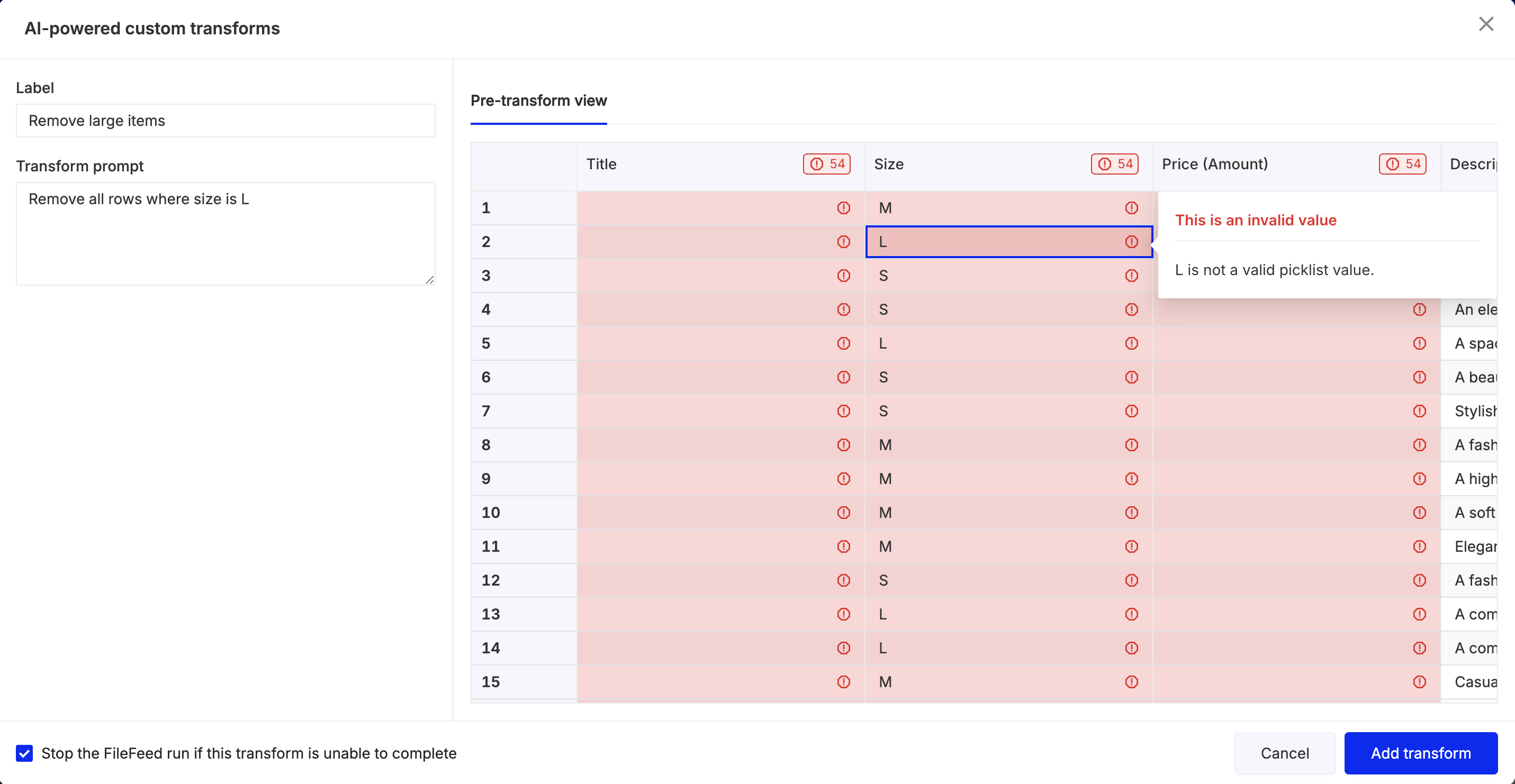
AI-generated CSV transforms
As part of creating a CSV transform in a FileFeed, you will be able to use a natural language prompt for creating and saving a transform to resolve any error inside of a CSV
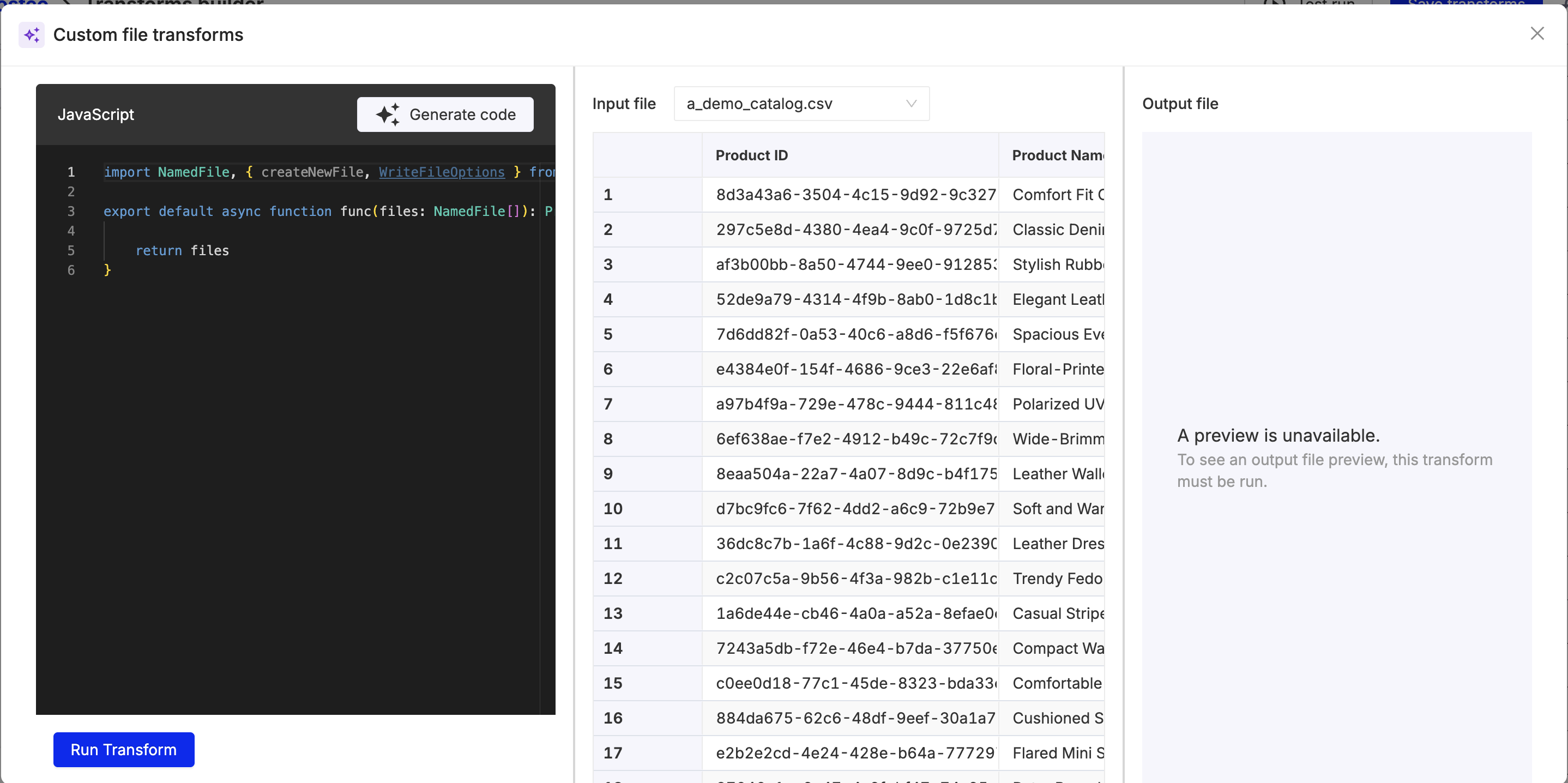
AI-generated custom file transforms
As part of creating a custom file transform in a FileFeed, you will be able to use a natural language prompt for any file-level operation (e.g renaming, decrypting, unzipping, etc.
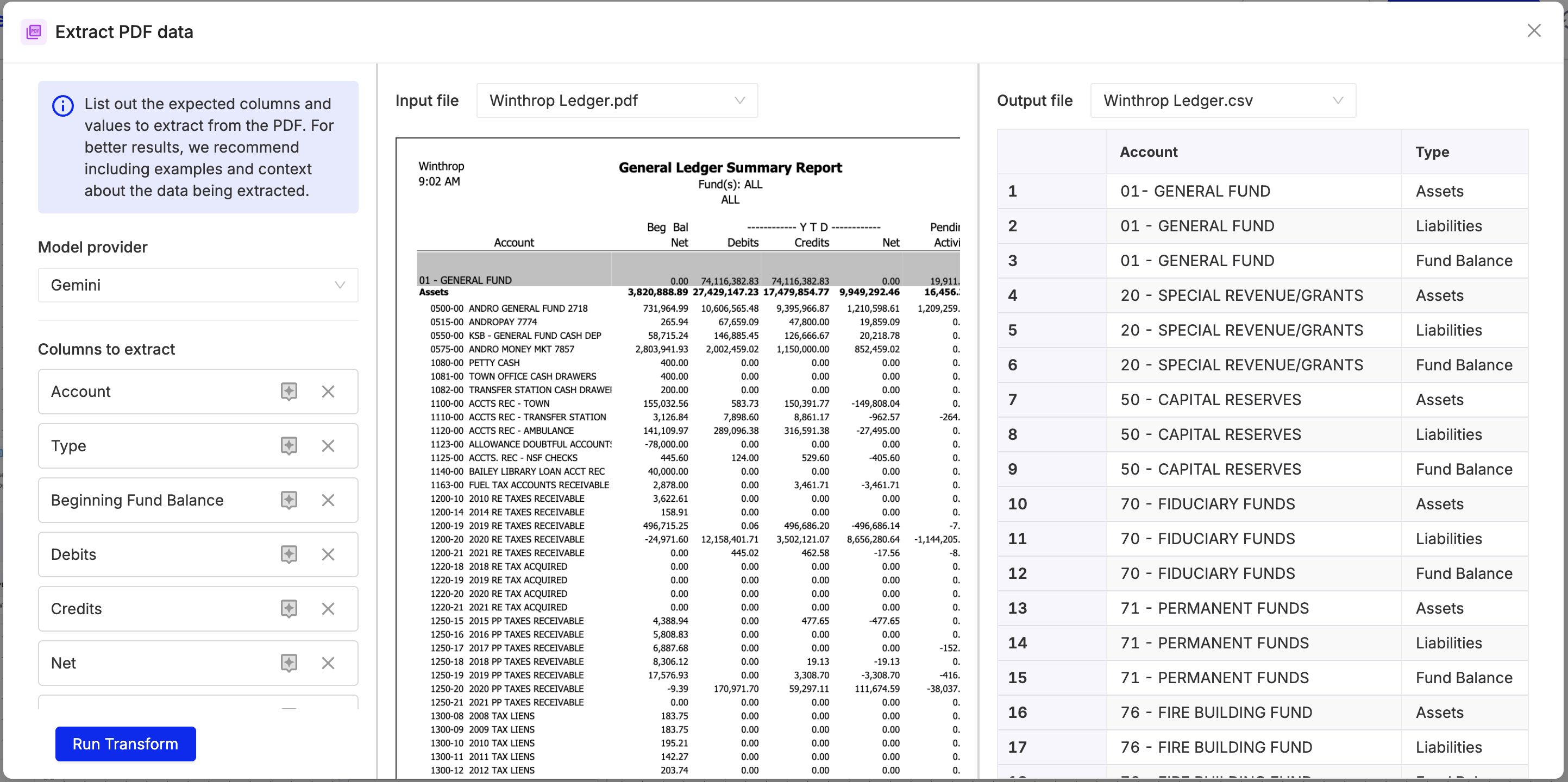
AI document extraction
As part of creating a FileFeed, you will be able to use a selection of vision language models to define and extract structured tables and text from any document, PDF, or image
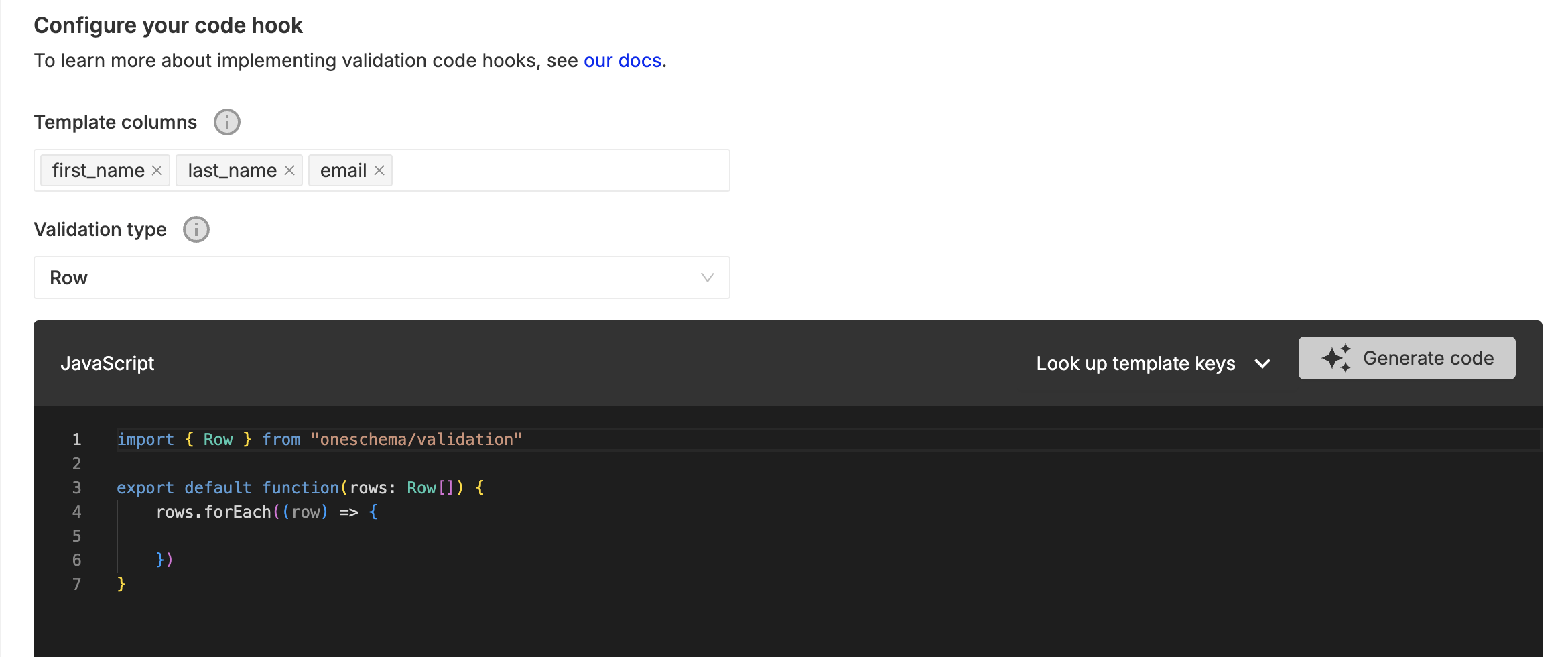
AI-generated validations
As part of creating Templates, you will be able to use natural language prompts for generating any custom validation logic that expands beyond our standard data types
AI Product Features in Embeddable Importer
AI-Suggested Mappings
As part of the Embeddable Importer, you will be able to enable smart mapping for template columns and for picklist values. These configurations can be toggled using either the Customizations Tab or customizationOverrides on importer launch.
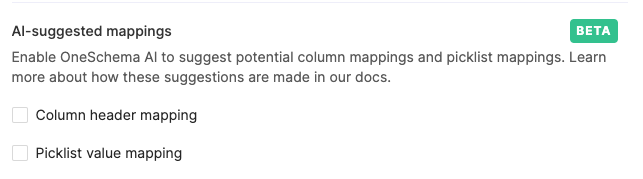
Customization for enabling AI-suggested mappings. Found in the Map Column portion of Importer customizations.
Template Column Mapping
Template Column mapping will occur automatically based on your specified mapping strategy, which can contain some combination of "exact", "fuzzy", and "historical". Normally, any unmapped columns would then need to be manually mapped by your end user. With suggested mappings, however, users can elect for these unmapped columns to be mapped based on the remaining unmapped template columns and uploaded column names.
Users will then be prompted to review the suggested mappings before continuing to the Review and Finalize step of the Importer.

Suggested Picklist Mapping
Similar to Suggested Column Mapping, users can leverage OneSchema AI to make intelligent mappings between sheet values to picklist values. This requires that an uploaded column is mapped to a Template Column of picklist datatype. This can be a great way to automatically and intelligently map values to their correct formats (eg. United States to a shorter picklist value of US).
Users will be prompted to review the suggested picklist mappings before proceeding.
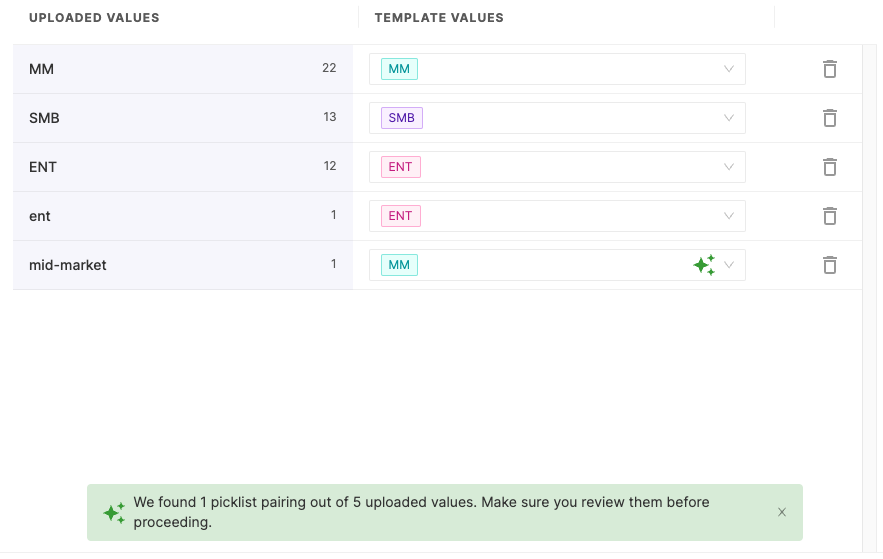
A star will appear next to mappings created using AI so users can easily verify mappings.
OneSchema AI FAQs
Our customer’s data security and privacy are our top priority. OneSchema does not leverage any in-house AI models, and relies on partners for building our LLM models: OpenAI (GPT), Anthropic (Claude), and Google (Gemini).
OneSchema's usage of foundation models (e.g Claude via AWS Bedrock, Azure OpenAI service) can be covered by our BAAs and DPAs with AWS and Azure -- ask your OneSchema account representative for details for compliance documentation.
OneSchema has not and will not opt into data-sharing and your data will never be used to train the LLM providers we partner with.
What does OneSchema’s AI product suite do?
OneSchema’s AI product suite is used for enabling "vibe-coding" style features for non-technical end users. The AI product suite can be used to generate validation code, transformation code, and also suggest column and picklist mappings in bulk. OneSchema's AI product suite also can extract tabular information from unstructured files (e.g PDFs, documents, images).
How do I access OneSchema’s AI product suite?
Our AI product suite is enabled by using the prompting features made available in our FileFeeds and Templates. The AI product suite can be enabled for Embeddable Importers via the Customizations tab.
Please contact your Customer Success Manager if you are interested in turning off AI for your OneSchema account.
Will my data be used by OpenAI, Anthropic, or Google to train their models?
No, OneSchema has not opted into any LLM provider data sharing – your data is never used to train the underlying models that are used by OneSchema.
What data is shared with LLM providers?
A sample of the rows in the CSV data that is uploaded into OneSchema is shared with LLM providers as context for informing the code-generation responses for custom spreadsheet validations and spreadsheet transformations.
In addition, to suggest column / picklist mappings, context about the headers and columns as well as the template configuration is sent to the LLM provider for suggesting mappings.
When extracting structured data from PDFs, images, or documents -- the entire file is sent to the LLM provider as context so that the Vision Language Model (VLM) can respond with structured data.
This data is NOT used by LLM providers to train their next model – OneSchema has not opted into LLM data sharing.
What is our data retention policy with external LLM providers?
Our external LLM providers will retain prompting data (including context) for 30 days, but will not use this for training. Data is retained by our external LLM providers for abuse and misuse monitoring purposes.
Does my customer data interpreted in the AI product suite get used to train the model for other OneSchema customers?
Not at this time. We may use data to improve the features for all customers in the future, but want to ensure this is implemented safely to ensure our customer's data privacy is protected.
Updated 4 months ago