
Import Node v2
Availability: GA for all new Multi FileFeeds. Existing MFFs will be migrated automatically.
What's new
The Import files transform in the MFF builder has been redesigned. Previously, the Import node was a single node handling validation, renaming, post-validation logic, as well as importing. In the new version, this has been broken into dedicated nodes with tighter responsibilities.
Validate files: A new transform that maps output files to templates and ensures columns and data formatting are accurate. Validation is no longer bundled into Import files and now runs as its own discrete step in the pipeline.
Rename: File and sheet renaming is now a standalone transform. Configure renames independently before files move to downstream transforms.
Custom file transforms: Post-validation transforms that were previously embedded in the Import files transform are now configured as Custom file transforms immediately upstream of Import files. This gives you full visibility into what's running and direct control over the logic applied to your files before import.
Import files: With validation, renaming, and custom transforms handled upstream, Import files is now focused solely on importing files into your workspace.
What's changing for existing Multi FileFeeds
All newly created Multi FileFeeds will use the updated pipeline automatically. This week, we will begin migrating existing Multi FileFeeds to the new structure. Your saved transform configurations will be preserved and be functionally identical to the existing version. For Multi FileFeeds that currently utilize all four functions of the original Import node, the Import node will become Validation node -> Rename node -> Custom File Transform node -> Import (v2) node. All configured settings will be preserved in the new nodes. Below is an example of a simple Multi FileFeed with an Import node v1, and and Import node v2
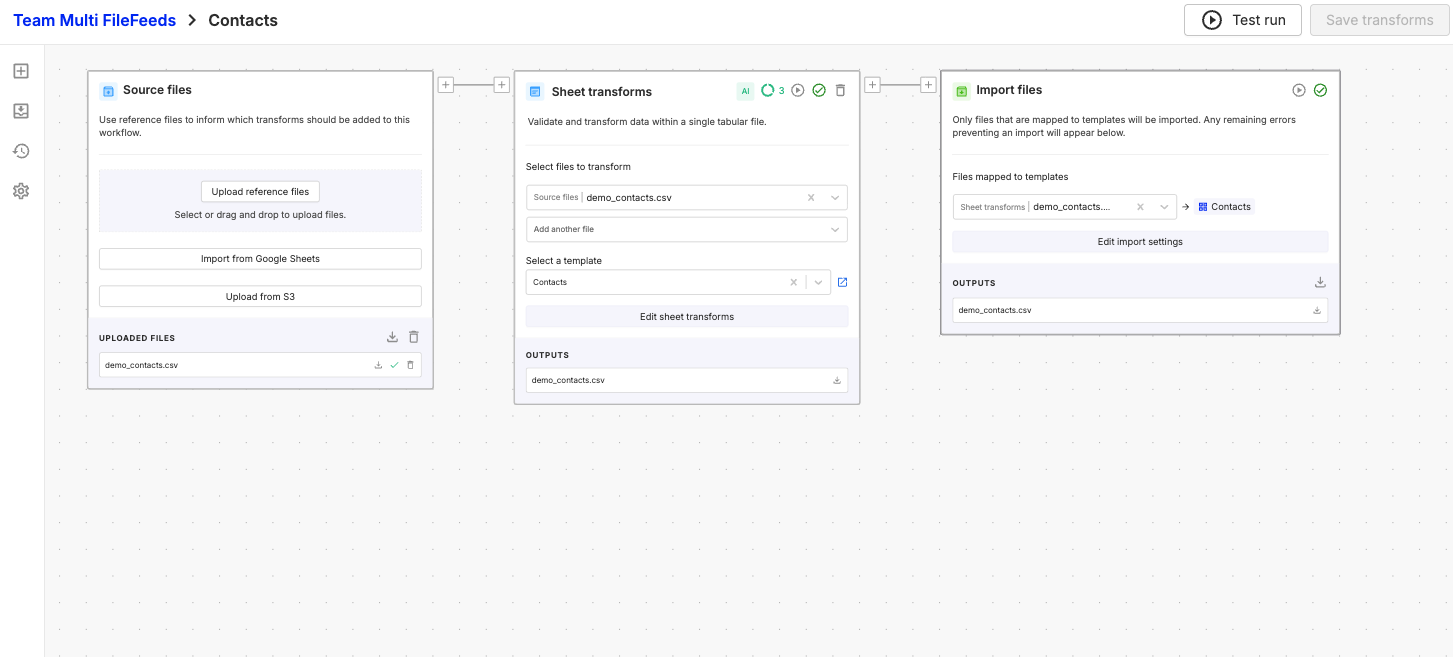
Import node v1
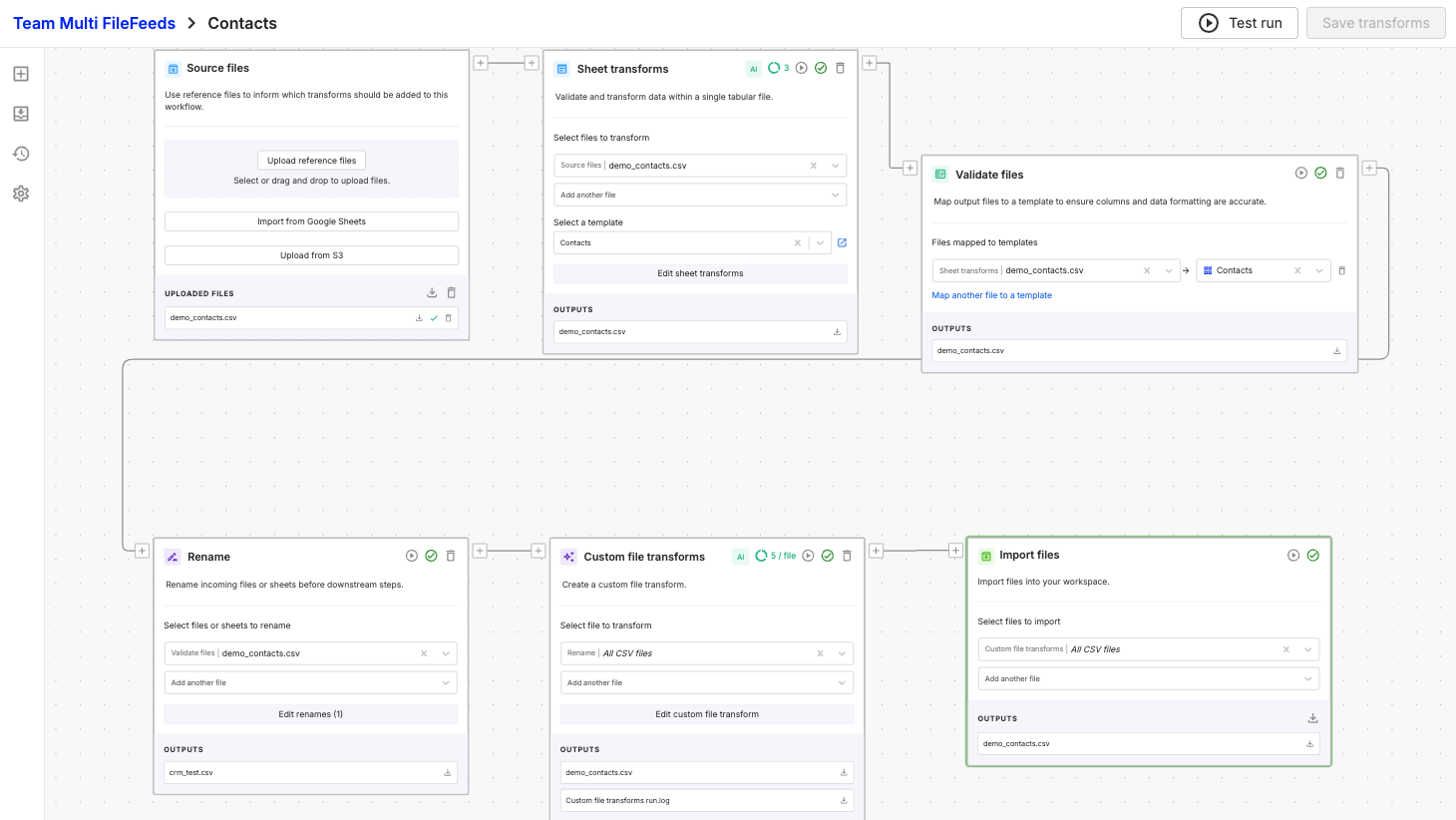
Import node v2
Why we made this change
Reducing the responsibilities of each transform improves the stability and observability of Multi FileFeed runs. With each step of the pipeline isolated, we can:
- Target performance enhancements to individual transforms without side effects
- Provide more transparency on what is actually happening when you run a Multi FileFeed
- Provide clearer insight into where failures occur, making issues faster to diagnose and resolve
- Iterate on each transform type independently, delivering improvements more quickly
As part of this work, we've already shipped several performance enhancements. Multi FileFeeds using the updated pipeline will perform strictly better than those on the previous structure.
Updated 1 day ago